Cashier Guide
As a cashier, your main job is to serve customer transactions quickly and accurately, from opening your shift to closing the till at the end of the day.
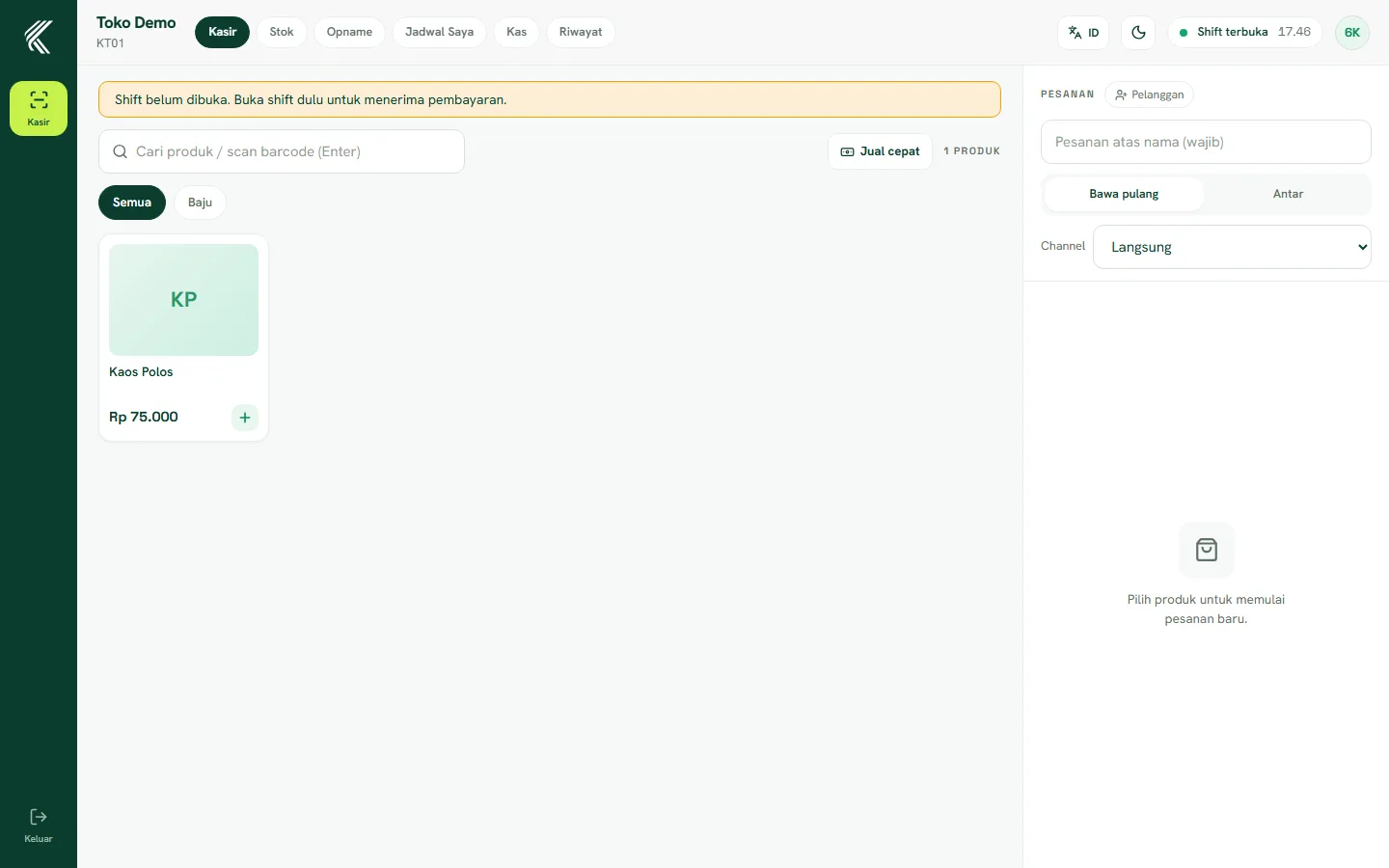
Opening a shift and starting cash
Before serving, open Cash and enter the till's starting cash. While the shift is not open, the Pay button on the Cashier page is locked — this ensures every transaction is recorded within one clear shift.
Serving transactions
On the Cashier page, add products to the cart by tapping a product or scanning a barcode. Set the quantity, add a note if needed, then tap Pay to choose a payment method (cash or non-cash) and complete the transaction. The receipt can be printed or skipped depending on the customer.
Closing the shift
At the end of your shift, close the till from the Cash menu — the system shows a sales summary and compares the cash in the till with the system's records to detect any discrepancy.
If you run into issues
For items without a price, stock that appears empty, or restaurant orders that haven't come through, let the owner or outlet supervisor know — some things such as adding products or changing stock can only be done from the Owner account.