Managing stock
Stock in KasirYuk is managed per outlet — the product catalog is shared, but stock quantities differ at each outlet. Everything is handled from the Stock page (/owner/stok).
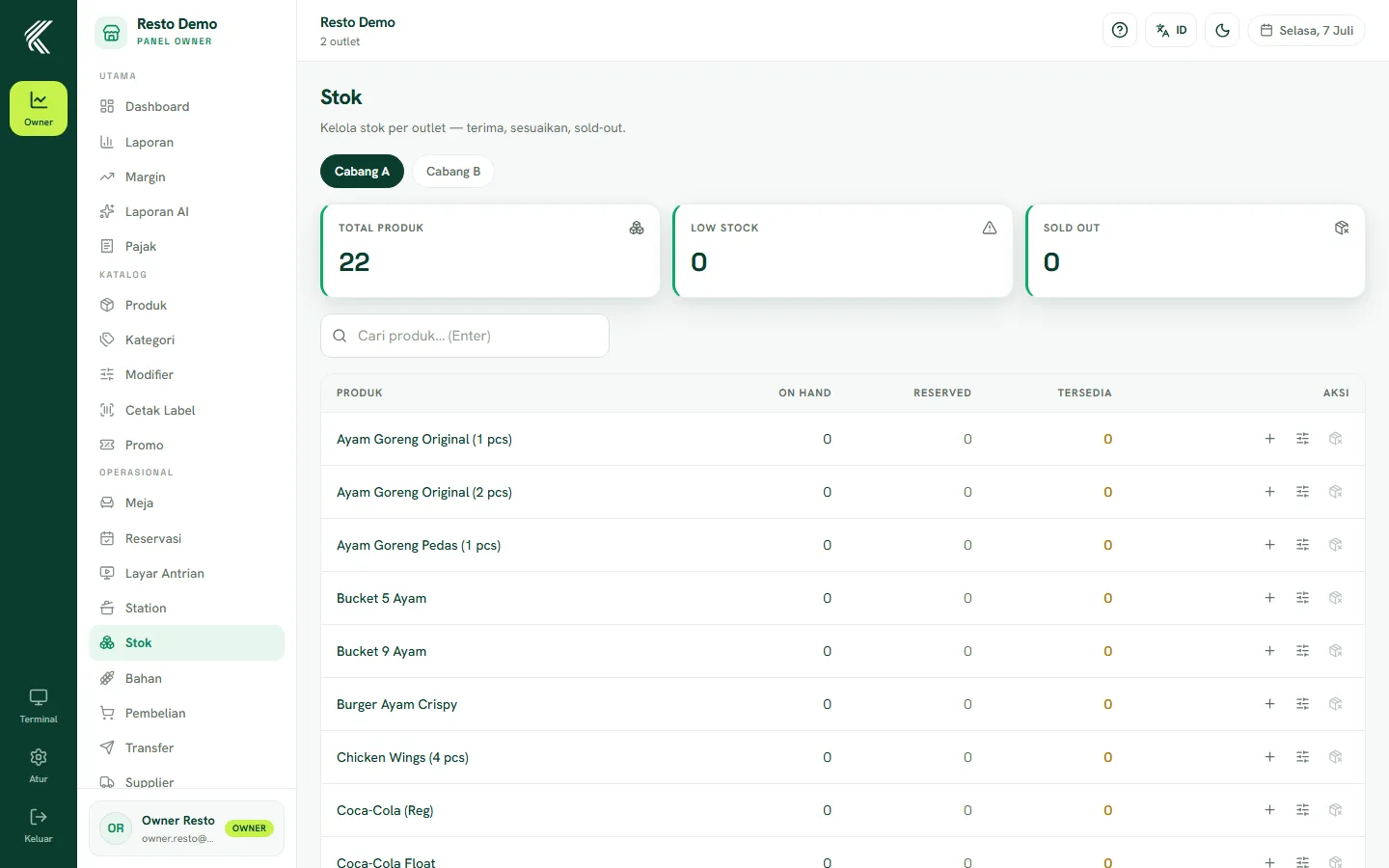
Choosing an outlet
On the Stock page, first choose the outlet whose stock you want to manage. If your business only has one outlet, it is selected automatically.
Receiving stock
Use the Receive stock button when new goods arrive (for example from a supplier or a shipment from head office to a branch). Enter the products and quantities received — the available stock increases.
Adjusting stock
If there is a discrepancy from a physical count (stock opname), use Adjust to correct the stock quantity so it matches the real condition at the outlet.
Marking out of stock
Products that have run out can be marked sold out directly from the Stock page. A sold-out product cannot be sold at the cashier until its stock is replenished, preventing the cashier from selling goods that aren't actually available.