Restaurant setup: tables & kitchen
If your business type is Restaurant, there are a few extra things to prepare before opening.
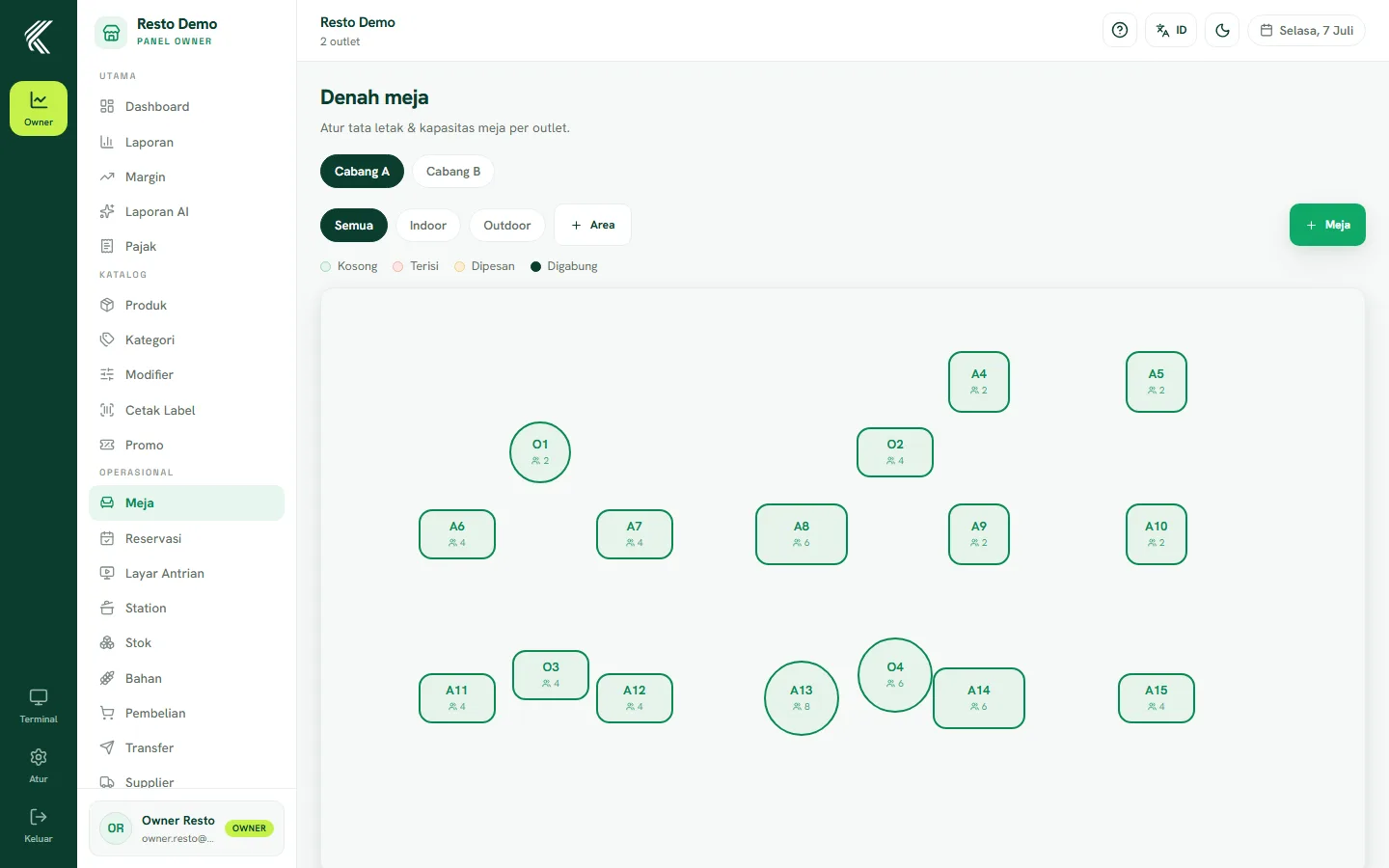
Table layout
Open the Tables page (/owner/meja) to build the layout of your restaurant/café. Add tables per area (for example floor 1, outdoor), give each table a name/number, and set its capacity. This layout is what waiters use to pick a table when opening an order.
Service flow: self-service vs table
KasirYuk restaurant mode supports two flows:
- Self-service — customers order by themselves (for example via table QR or directly at the cashier) without a waiter recording the order.
- Table service — a waiter records orders per table, sends them to the kitchen, and manages the order status until it's done.
Choose the flow that fits how your restaurant operates; both can run side by side depending on the table/outlet.
Kitchen stations (KDS)
Open the Stations page (/owner/station) to set up kitchen stations — for example a "Drinks" station and a "Mains" station. Each order item sent to the kitchen appears at the matching station on the KDS screen, where the kitchen team marks items ready.